
webtempus.ch
by Helmut Hummel
services — business & private
in computer and office



ScreenSharing via AnyDesk
(macOS and Windows, iOS, Android, Linux, FreeBSB, Rasspery Pi)
ScreenSharing via AnyDesk (Apple macOS, Windows, iOS, Android, Linux, FreeBSD, Rasberry Pi)
für den Online Support, mit AUDIO
1. Systemvoraussetzungen und Download

Die Software ist für Sie kostenlos !
The software is free for you !
AnyDesk funktioniert auf allen Ihren Geräten und Betriebssystemen: Windows, macOS, iOS, Android, Linux, FreeBSD und sogar Ihrem Raspberry Pi!
Windows
Windows 10
(altere Windows-Version mit anderen
Programmversionen)
Mac
macOS Tahoe 26.3.1 und neuer
macOS Catalina 10.15
macOS Mojave 10.14
macOS HighSierra 10.13
(altere macOS-Version mit anderen
Programmversionen)
ScreenSharing via AnyDesk (Apple macOS, Windows, iOS, Android, Linux, FreeBSD, Rasberry Pi)
für den Online Support, mit AUDIO
2a. Anleitung — Installation (Windows-Computer)
Bitte benutzen Sie den Link zum Download des Installationsprogramms und installieren Sie das Programm.
Please use the link to download the installation program and install the program.
ScreenSharing via AnyDesk (Apple macOS, Windows, iOS, Android, Linux, FreeBSD, Rasberry Pi)
für den Online Support, mit AUDIO
2b. Anleitung — Installation (Apple macOS-Computer)
Installation (einmalig):
Download the (installation) program. In the “Download” folder, you will find the program “TeamViewer.dmg.” Double-click on it. Run the installation process. Once completed, eject “AnyDesk.dmg.” It can now be deleted from the download folder. Start the “AnyDesk.app” program from the Launchpad (rocket). Admin permission is required when starting for the first time! If necessary, also under “Apple icon | System Preferences | Security.”
Tell me the address of AnyDesk
ScreenSharing via AnyDesk (Apple macOS, Windows, iOS, Android, Linux, FreeBSD, Rasberry Pi)
für den Online Support, mit AUDIO
3. Anleitung — Start und Zugriff auf den Bildschirm gewähren (Apple macOS und Windows)
Das Programm unterstützt ScreenSharing, mit Audio.
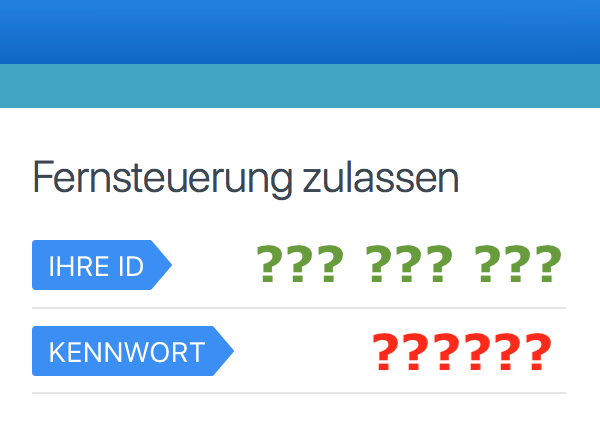
Starten Sie das Programm.Teilen Sie mir via Telefon die ID und das Kennwort mit.Bestätigen Sie das Screensharing.
The application supports screensharing without audio.
Start the application.Tell me your ID and password.Accept screensharing.
Helmut Ludwig Hummel
webtempus.ch
services — business & private
Address
Helmut Ludwig Hummel
Chalberweidstrasse 43
8127 Forch
Switzerland
Communication
+41 79 220 48 14
info@webtempus.ch
webtempus.ch
Copyright
© 2021 by webtempus.ch
This Site uses cookies
Information
Legal